
Small Fleet
Manage XR devices centrally
ArborXR: Starter license (per device) - 1 Year is the entry-level ArborXR MDM package for organisations running small XR deployments. Each annual licence covers one managed device and includes core device configuration, groups and tags, secure Wi-Fi provisioning, remote deployment of apps, 360° videos, files and WebXR, install verification, remote content launch, and controlled headset access through single-app Kiosk Mode or the ArborXR Home multi-app launcher. ArborXR also offers Essential and Enterprise. Essential adds Remote Assistance, usage analytics, scheduled updates, nested groups, API access and supported OS management. Enterprise adds SSO, audit logs, white-labelling, Microsoft Intune integration and priority support. Starter is intended for teams that need reliable device and content management without the advanced controls of the higher tiers.
Manage XR devices centrally
Push apps and files remotely
Lock devices to approved content
Standardise repeatable setups
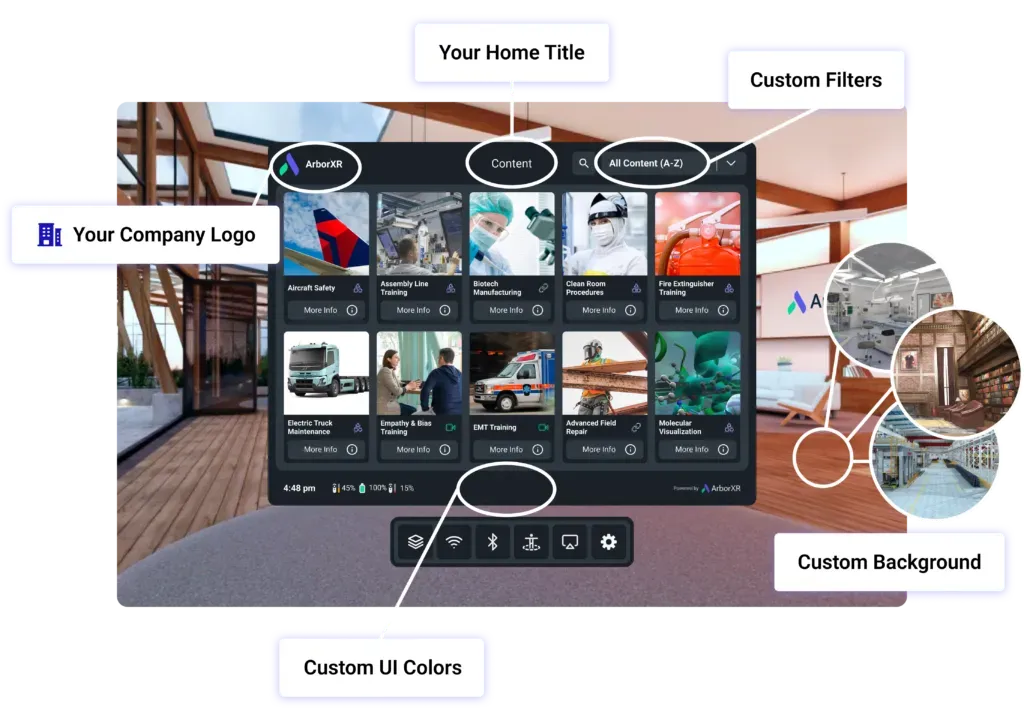
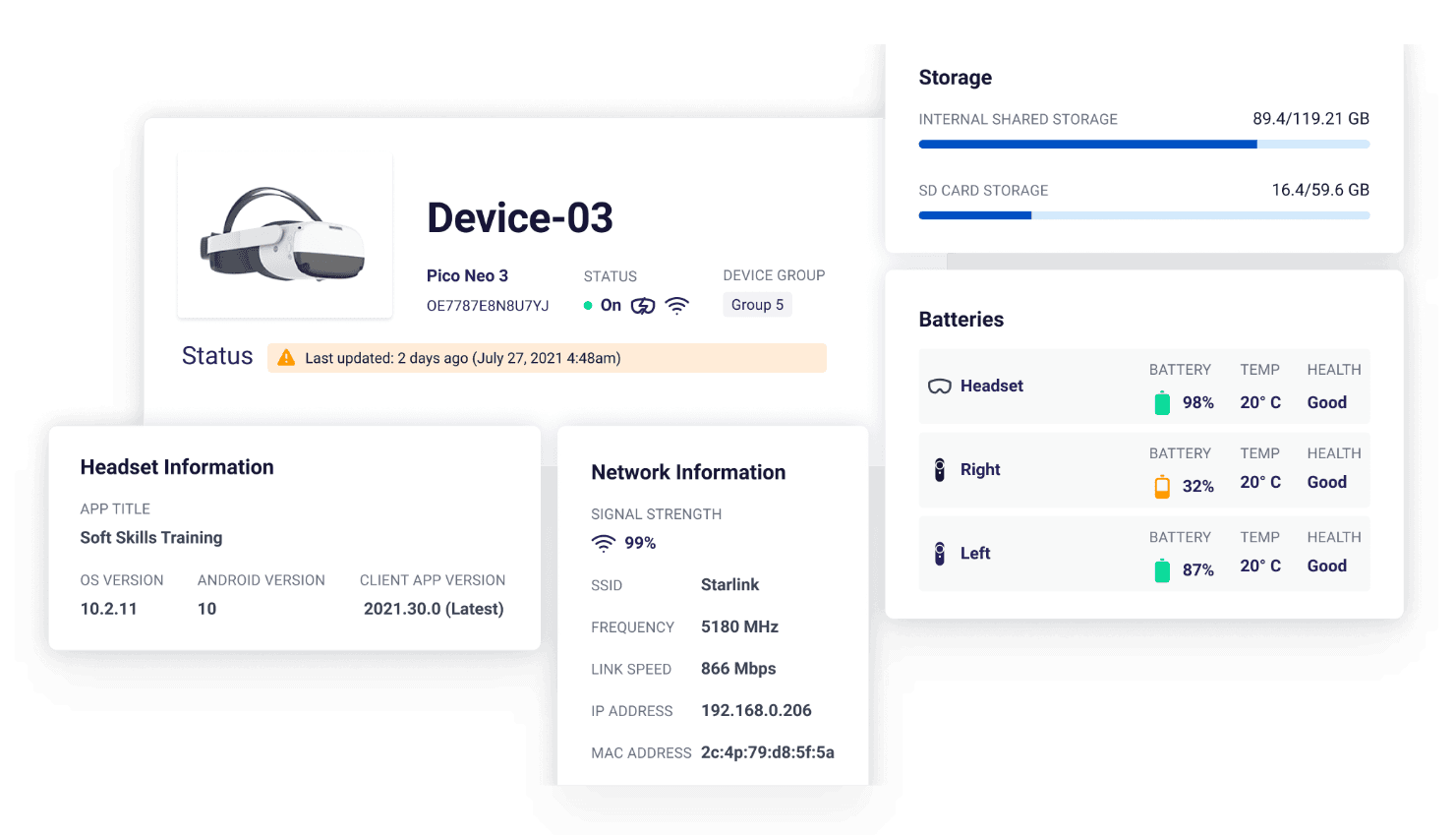
Starter gives administrators the central controls needed to configure supported XR devices, organise them with groups and tags, reboot or reset them, and provision secure Wi-Fi.
This reduces repeated hands-on setup for small XR fleets and gives your organisation one portal for day-to-day device administration.
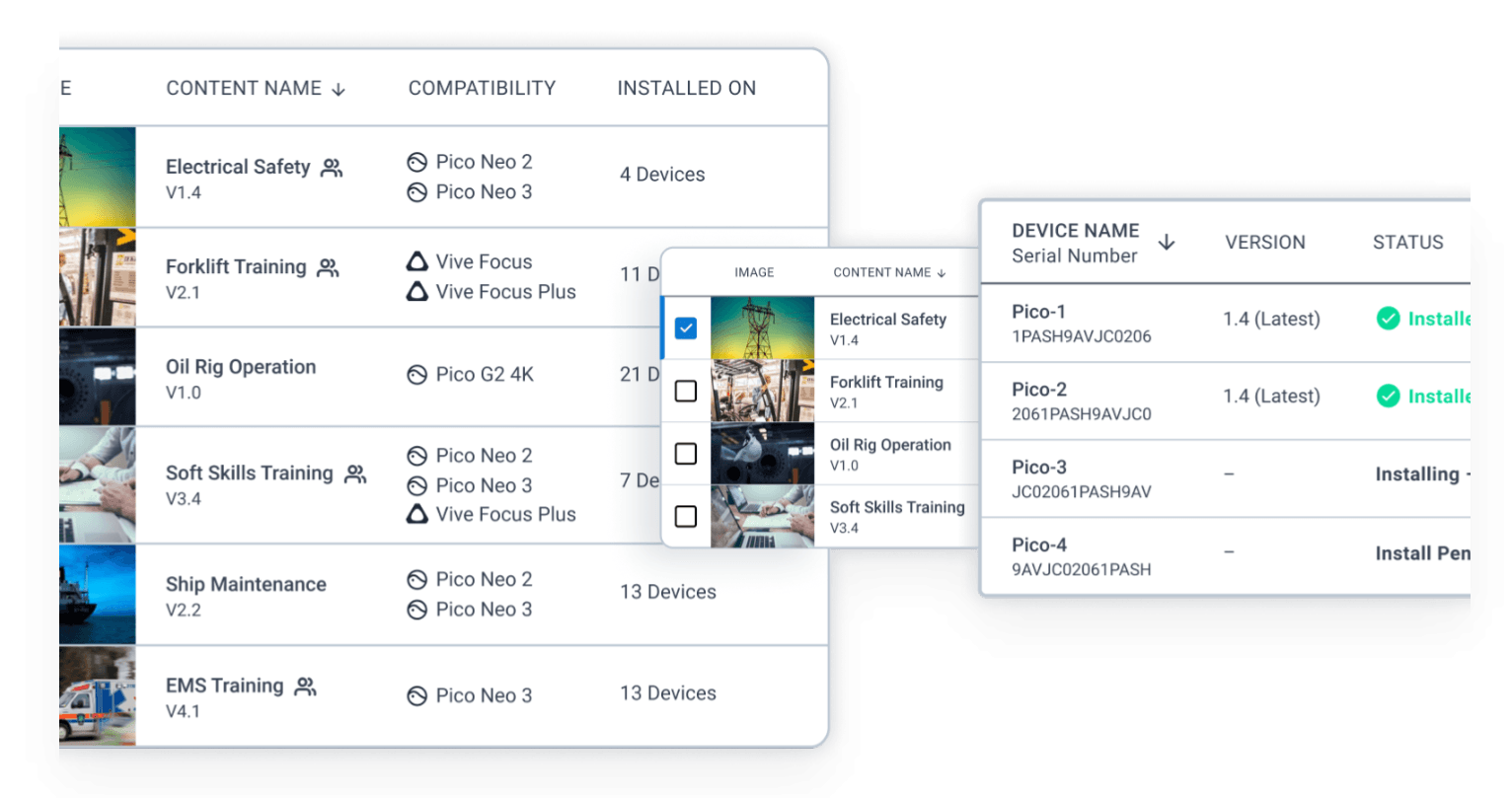
Upload and deploy apps, 360° videos, files and WebXR content remotely, check installation status, manage app versions, bundle files and launch approved content from the portal.
Your team can keep devices aligned with the same approved content without manually sideloading every headset whenever an application or file changes.
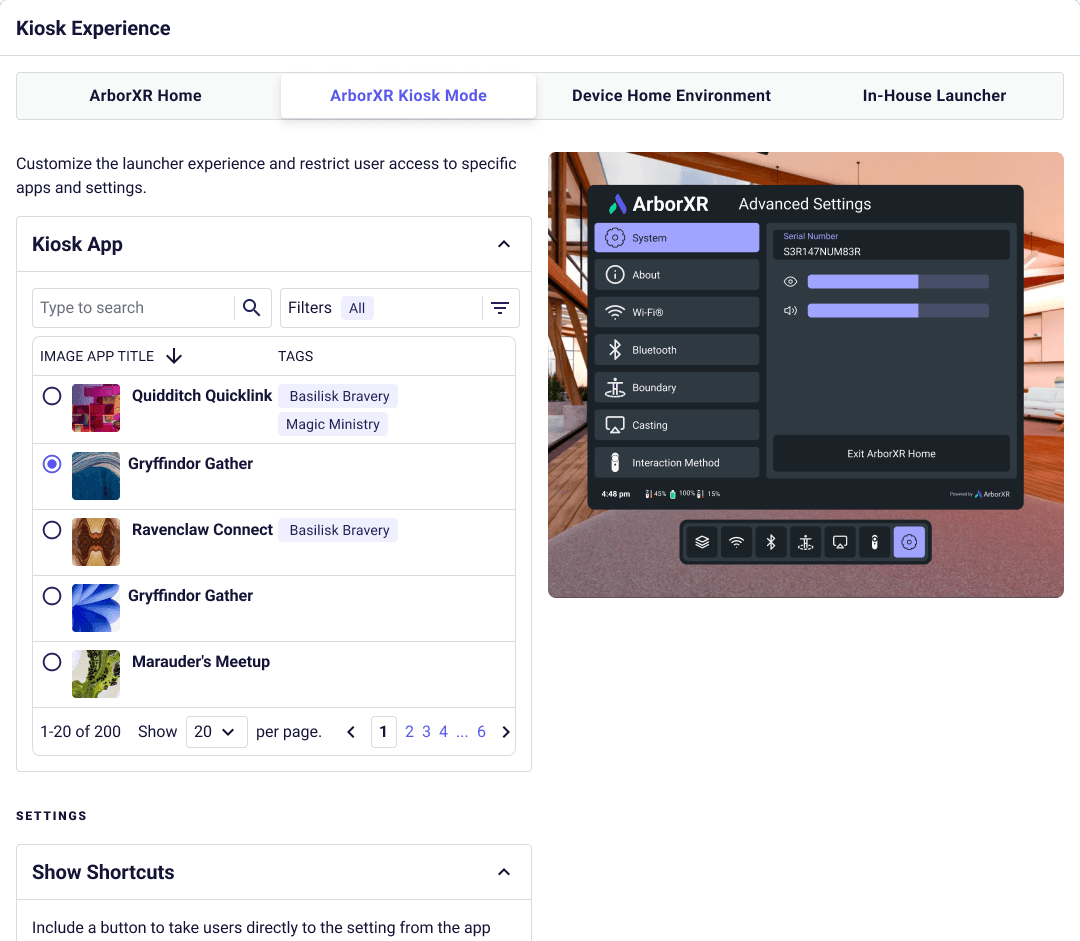
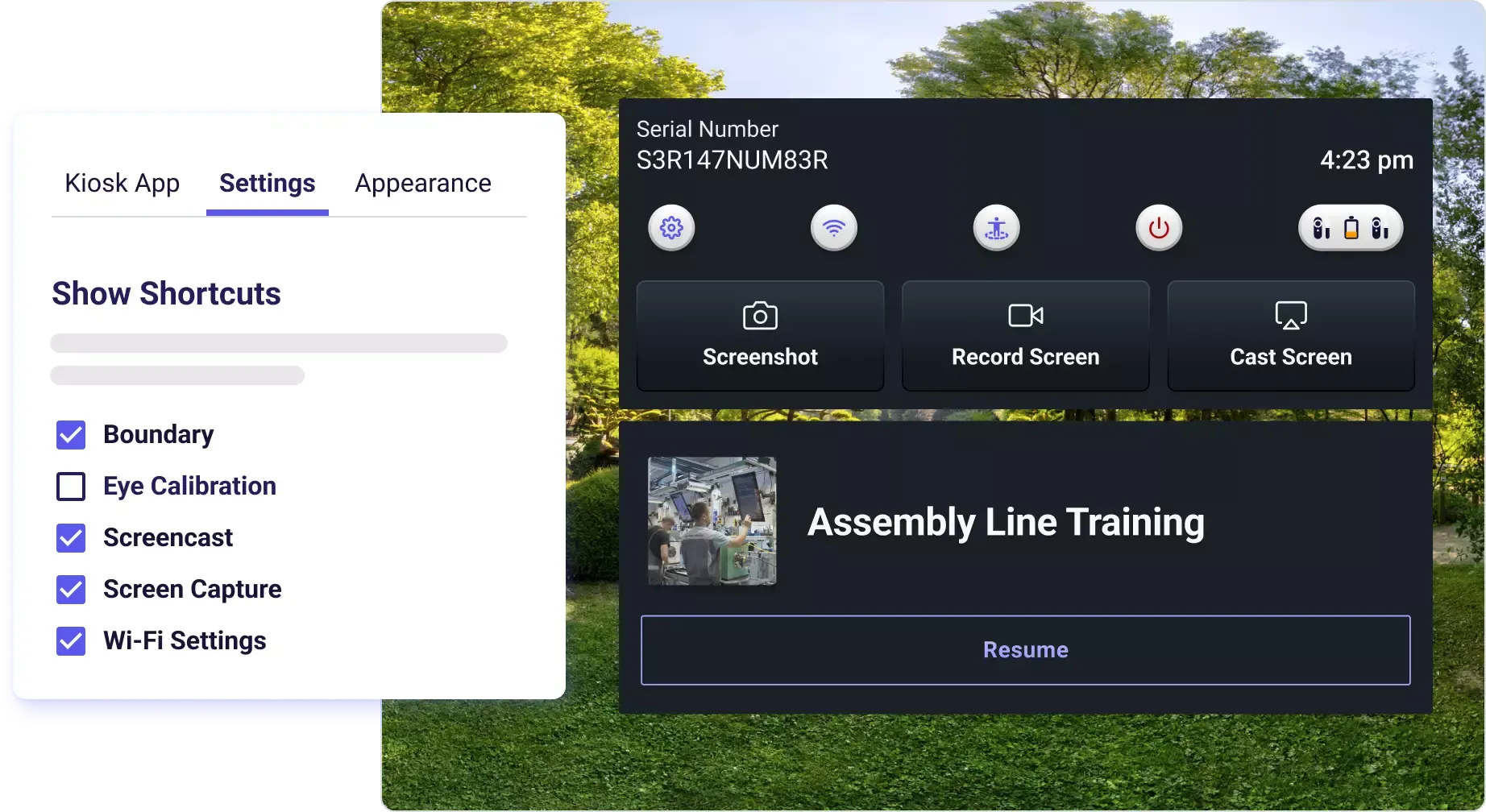
Starter includes single-app Kiosk Mode, the ArborXR Home multi-app launcher, ArborXR Lounge, video kiosk mode, access restrictions and the option to add your organisation logo.
This gives users a focused headset experience and helps prevent access to applications or system areas that are not part of the intended workflow.
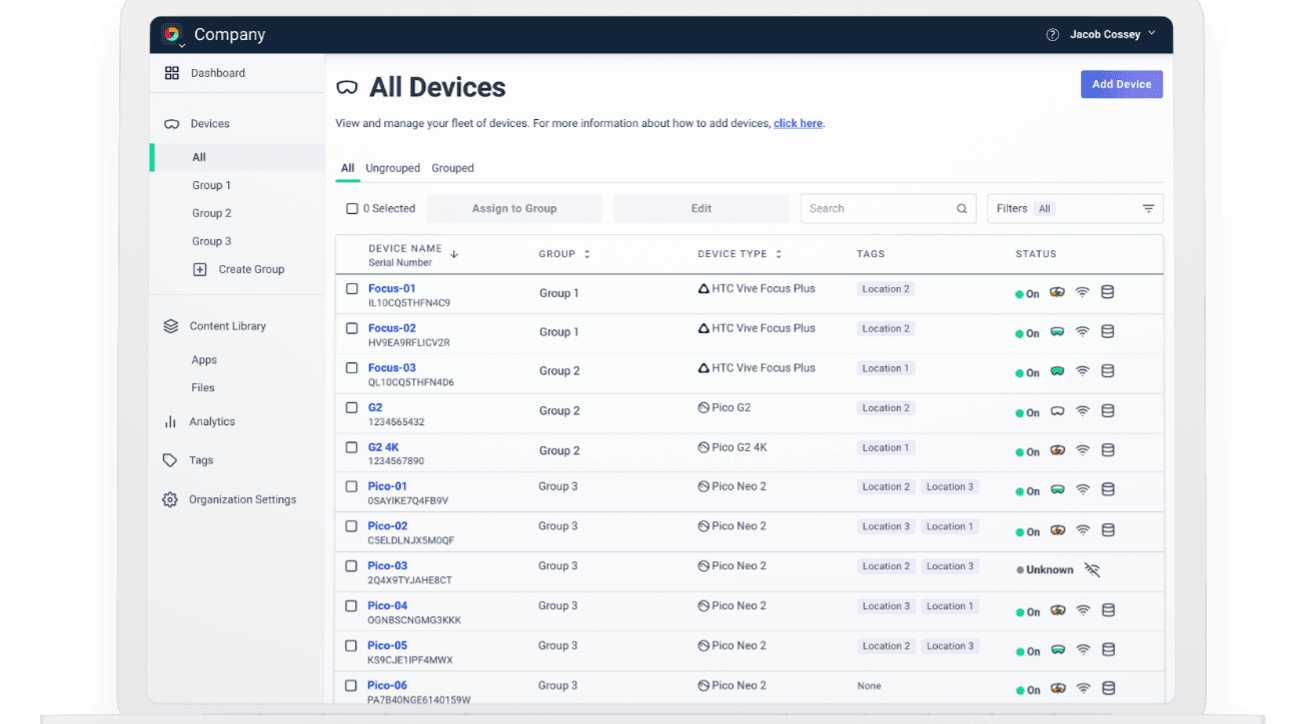
Starter includes user-role assignment, group-level access restrictions and two-factor authentication, together with chat support, the knowledge base and product-roadmap access.
It provides the essential security and administration layer for smaller deployments, while advanced SSO, audit logs and custom roles require higher plans.
ArborXR Starter is the entry-level business plan for organisations that need dependable XR device management without advanced analytics or remote-support tools. It covers the main workflows required to configure devices, distribute content and keep users inside approved experiences.
The plan includes device settings, groups and tags, secure Wi-Fi provisioning, remote app and file deployment, install checks, app version management, remote content launch, single-app Kiosk Mode, ArborXR Home, basic user roles and 2FA.
Starter is the core business tier. Essential adds Remote Assistance, analytics, scheduled updates, nested groups, API/MCP access and supported OS management. Enterprise adds SSO, audit logs, white-labelling, Microsoft Intune integration and priority support.
This product provides a one-year Starter licence for one managed device. VR Expert can help confirm device compatibility, required licence quantities and whether Starter, Essential or Enterprise is the right fit for your rollout.
Source AI glasses through an official B2B partner with access to verified brands, enterprise pricing, product guidance, and direct manufacturer escalation.
Source AI glasses through an official B2B partner with access to verified brands, enterprise pricing, product guidance, and direct manufacturer escalation.
Starter includes core XR device management, groups and tags, Wi-Fi provisioning, remote content deployment, install verification, app version control, remote launch, Kiosk Mode, ArborXR Home, basic roles and 2FA.
One annual Starter licence covers one managed XR device. To manage a larger fleet, your organisation needs a licence for each enrolled device.
Yes. Starter can deploy apps, 360° videos, files and WebXR content, verify installation status, manage app versions and remotely launch supported content.
Yes. Starter includes single-app Kiosk Mode and ArborXR Home for a controlled multi-app experience. More advanced background, colour and custom-environment options require Essential or Enterprise.
Starter is the business plan for core XR device management. Essential adds advanced management, Remote Assistance, analytics and integrations. Classroom provides the core feature set for qualifying education customers, while Classroom Pro adds the advanced features for schools.
Starter includes device settings, groups and tags, Wi-Fi provisioning, app and file deployment, install-status checks, remote app launching, ArborXR Home and single-app kiosk mode. It is intended for smaller business deployments that do not need the advanced Essential features.
Essential includes everything in Starter, plus Remote Assistance, usage and session analytics, API and ArborXR MCP access, nested groups, scheduled content updates, advanced configuration presets and additional device controls. Some OS-management features depend on the headset model.
Classroom provides the core management tools needed to deploy content and control student headsets. Classroom Pro adds Remote Assistance, analytics, API access, nested groups, scheduled updates and additional device controls for larger or more actively managed education deployments.
Classroom and Classroom Pro are education plans for qualifying schools, universities and nonprofits. Business customers should use Starter, Essential or an Enterprise plan instead.
Each licence covers one managed device for one year. VR Expert pricing is €84/$84 for Starter, €120/$120 for Essential, €48/$48 for Classroom and €72/$72 for Classroom Pro.
No. ArborXR sets the plan at organisation level, so all managed devices in the same ArborXR organisation use the same plan. You can request an upgrade or downgrade later if your requirements change.
Choose Starter for basic business fleet management and Essential when you need remote support, analytics or advanced controls. For education, choose Classroom for core management or Classroom Pro when teachers and IT teams need the additional monitoring and management features.
Essential includes every Starter feature and adds Remote Assistance, usage analytics, scheduled content updates, nested groups, API/MCP access, file downloads, custom roles and supported OS management.
ArborXR supports a broad range of standalone Android-based XR devices from Meta, PICO, HTC VIVE, Samsung, Magic Leap, DPVR, Vuzix, RealWear and others. Available controls vary by device model.
ArborXR installs an agent app on each device, which you then manage from the ArborXR web portal. HMS SiNGRAY G2, RealWear Arc 3, Navigator 520 and Vuzix LX1 are fully supported, including content deployment, kiosk mode and remote monitoring. For Even Realities G2, only the paired phone and companion app can be managed. Display glasses such as XREAL and VITURE are not managed, as they have no operating system. Classroom and Classroom Pro plans are made for schools; Classroom Pro adds analytics, remote casting and assistance.