First impression and setup
Getting started with the RV101 is simple. You install the Hi Rokid app, pair the glasses via Bluetooth, and within minutes everything is connected. The connection is fast and stable. Through the app you can adjust brightness, volume, connected services, and access photos or videos captured with the glasses.
From a B2B standpoint, onboarding would be straightforward. No complex configuration or heavy IT involvement is required. That matters when thinking about scaling across teams.
Display experience and prescription reality
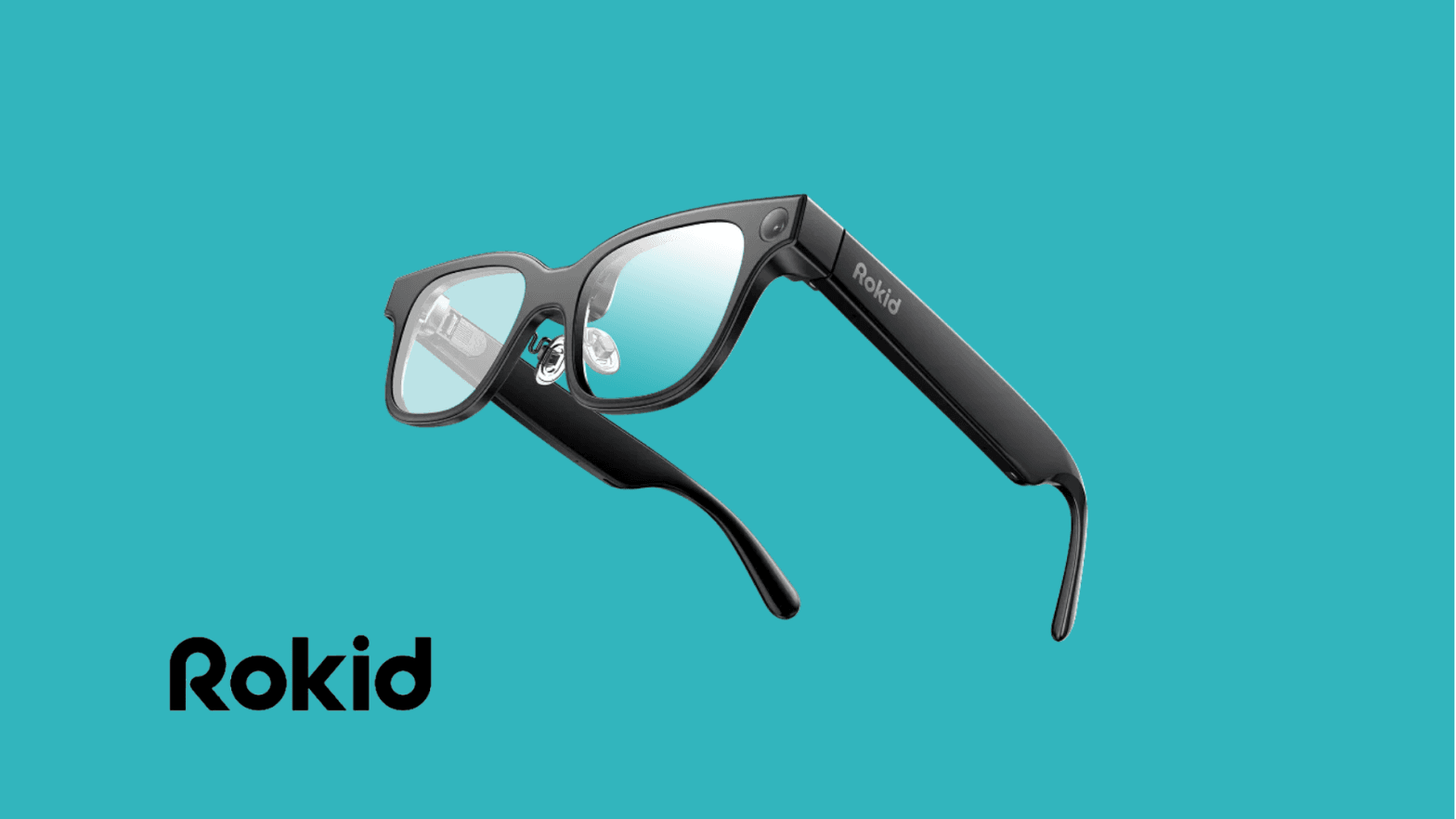
The RV101 uses a monocular green display. The interface is minimal and easy to understand. Everything appears in a single green color, which keeps it clean but limits visual richness.
Navigation happens through a touchpad on the right stem. It works, but it is quite sensitive. During testing, accidental inputs happened frequently. It is usable, but it needs refinement.
One important note: the test unit did not include my prescription lenses. As a result, the display was difficult to see clearly. For consumer use this is a personal inconvenience. For enterprise deployment, it becomes a logistical question. If multiple employees require different optical prescriptions, companies will likely need dedicated devices per employee or prescription solutions. Shared pool devices may not be realistic in all scenarios.
All-day battery and comfort
I wore the glasses for a full working day while listening to music, taking calls, receiving notifications, and interacting with the AI. After roughly eight hours, the battery was almost empty.
That is decent performance for active usage. It can cover most of a standard workday, but heavy users will need charging access. In enterprise environments, charging stations or desk docks would be necessary.
Comfort-wise, wearing them throughout the day felt natural. They function more like regular glasses than a headset, which lowers the barrier to adoption.
AI assistant performance
The wake phrase "Hi Rokid" activates the AI assistant. This is one of the strongest aspects of the device.
In testing, it handled weather questions, distance calculations, general knowledge queries, and even system adjustments reliably. Responses were fast and clear, and the voice output sounded natural.
This is where AI glasses start to show their disruptive potential. When the assistant works smoothly, you reduce the need to constantly reach for your phone. That behavioral shift is significant.
Camera and contextual awareness
A physical button on the top right of the frame controls image capture. A single press takes a photo. Holding it records video. Media automatically transfers to your phone after use.
Image quality is solid for documentation and quick capture. More interesting is the ability to ask the AI what you are looking at. The glasses analyze the scene and provide contextual feedback.
For enterprise use cases such as inspections, remote support, or field documentation, this feature can be extremely valuable. It introduces hands-free contextual assistance in real time.
Communication, messaging, and audio
Call quality is strong. Microphones pick up voice clearly, and the open-ear speakers deliver surprisingly good sound. Music playback is also enjoyable for daily use.
You can sync phone notifications, including messages and WhatsApp. Incoming messages can be read aloud, and replies can be dictated via voice. In practice, this reduces friction and keeps you connected without pulling out your phone constantly.
Navigation, teleprompter, and translation
The built-in navigation works, but it is basic. I tested a 30-minute route from the office to the city center. The path was displayed clearly, but only one route option was provided. There was no detailed transportation breakdown. It works, but it lacks depth.
The teleprompter feature shows scrolling text as you speak. It functions, but voice tracking is inconsistent. Sometimes the text scrolls too quickly because it does not perfectly interpret speech rhythm. With refinement, this could be useful for presenters and executives.
The live translator also works, but it is far from flawless. Testing Brazilian Portuguese and Dutch into English showed that accuracy depends heavily on eye contact and clear conditions. Even then, errors occur. Among the available AI models, the Microsoft option performed best during testing. Still, for professional environments where precision matters, it needs improvement.
Accessories and charging
The RV101 comes with a sturdy carrying case that feels premium and practical for daily transport. Charging is handled through a small magnetic cable that connects to contact points on the stem. The magnetic system is convenient and reduces wear on the hardware.
The cable connects to USB Type-C for power, making it compatible with standard chargers used in most modern workplaces.
Honest verdict
The Rokid RV101 works. It is not a concept device. It is usable today.
Its strengths are clear: the AI assistant performs well, calls and audio are reliable, setup is simple, and hands-free interaction feels natural. The camera and contextual AI open meaningful possibilities.
At the same time, there is room for improvement. Battery life could be extended. Touch navigation needs better tuning. The teleprompter and live translation require accuracy upgrades. Navigation needs more depth.
This feels like an early but serious step in the evolution of AI glasses.
Enterprise perspective
From an enterprise point of view, the potential is significant. AI glasses like the RV101 could support technicians in the field, enable live supervision, streamline communication, and provide real-time contextual assistance. They can reduce phone dependency and create more seamless workflows.
The main challenges for businesses will be personalization of optics, device management, security, and software ecosystem maturity. Those are solvable over time.
The bigger picture is clear. Once AI performance, battery efficiency, and user experience mature further, devices like the Rokid RV101 could shift how professionals interact with digital information.
AI glasses are not replacing smartphones tomorrow. But the direction is obvious.
And the RV101 is a serious step toward that future.
Core specifications (what Rokid Max is actually built on)
Specification | Details
Display | Monocular green micro-display (right eye projection)
Resolution | Not officially specified (text-focused micro display)
Refresh rate | Not officially specified
Field of view | Narrow glanceable overlay (exact FOV not specified)
Optics | Waveguide-style projection (monocular system)
Tracking | No positional tracking (non-spatial interface)
Camera | Integrated front-facing camera, photo & video capture
Audio | Open-ear directional speakers, built-in microphones with noise reduction
AI assistant | Voice-activated "Hi Rokid", cloud-based AI processing
Navigation | Turn-by-turn route display (single route guidance)
Translation | Real-time voice translation, multiple AI model options
Controls | Capacitive touchpad (right stem), physical capture button, voice commands
Connectivity | Bluetooth to smartphone, internet via paired phone
Companion app | Hi Rokid (iOS & Android)
Battery life | Up to ~8 hours mixed real-world usage
Charging | Magnetic pogo-pin connector, USB Type-C cable
Power | Integrated internal battery
Weight | Lightweight glasses form factor (exact weight not officially specified)
Included | Protective carrying case
Ready to trial AI glasses like the RV101 with your team? VR Expert AI stocks the leading AI glasses for business and supports pilots and rollouts across the EU and US.