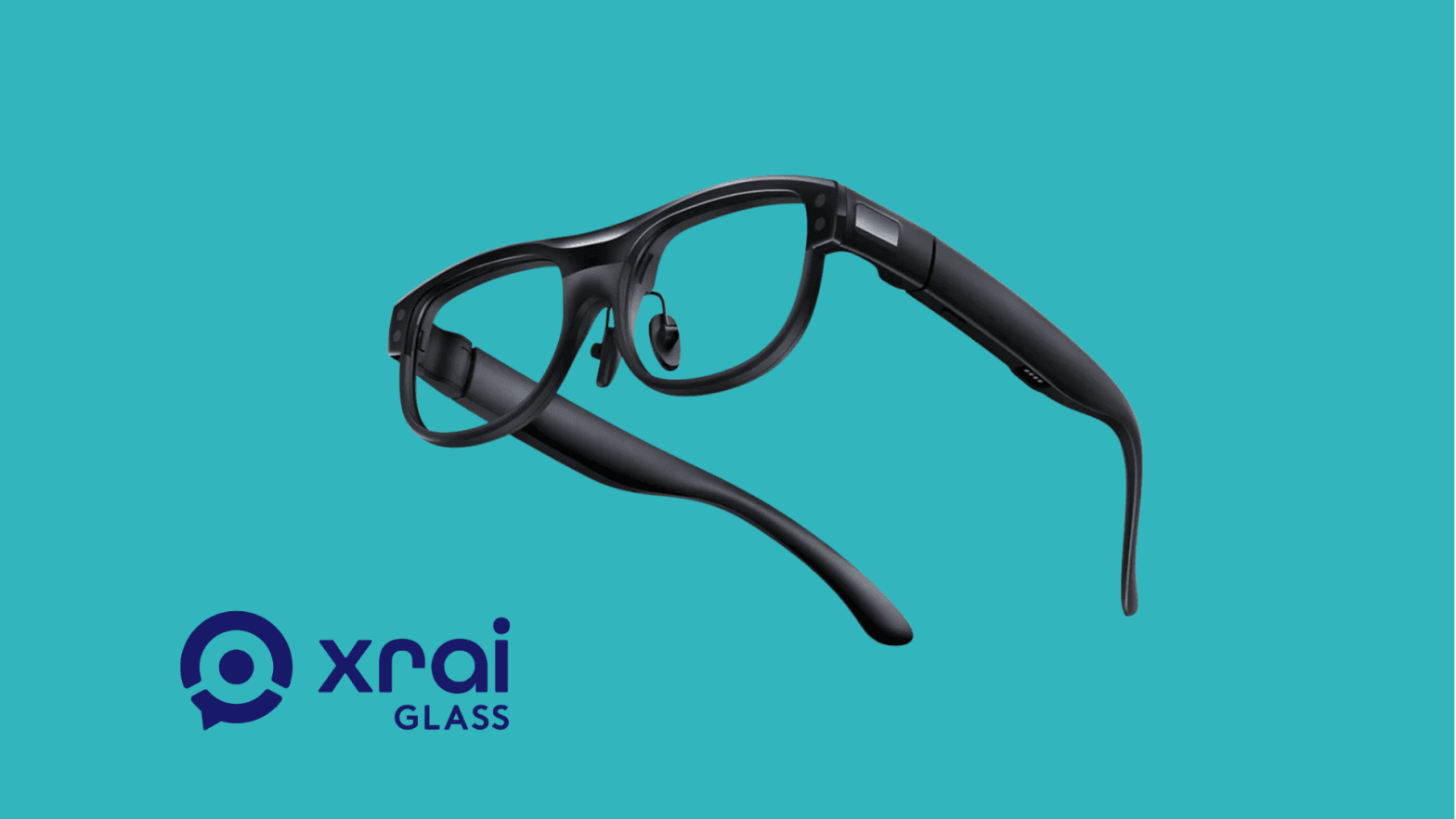
What are the XRAI AR2 glasses?
The XRAI AR2 glasses are AI-powered captioning and translation glasses designed to display speech as text in real time.
The system works through a combination of:
- Smart glasses with an integrated text display
- A smartphone running the XRAI Glass app
- Cloud-based speech recognition and translation AI
When someone speaks nearby, the glasses capture audio through built-in microphones. The speech is sent via Bluetooth to the smartphone, processed using AI speech recognition, and then sent back to the glasses, where captions appear as a floating text overlay.
Unlike many smart glasses on the market, the XRAI AR2 focuses almost entirely on accessibility and communication, rather than entertainment or media capture.
Hardware design and interaction
The hardware design is simple and lightweight, which makes sense considering the limited but focused functionality of the device.
One notable design decision is that the glasses do not include a camera or built-in speakers. Instead, they rely on a microphone and display system specifically optimized for captions and translation.
Key hardware elements
Integrated AR text display A small projection display overlays text inside the lens, allowing users to read captions while still maintaining full awareness of their surroundings.
Microphone system The glasses contain microphones that capture nearby speech, which is then processed by the smartphone.
Touchpad controls Navigation is handled through a touchpad located on the right side of the glasses. In practice, this worked well during testing. The touch interface is responsive and makes it easy to switch between features or navigate menus.
Overall, the hardware feels straightforward and purpose-built for its main task: displaying speech as text.
Setup and mobile app experience
Getting started with the XRAI AR2 glasses is relatively simple.
The setup process begins in the XRAI Glass mobile app, where the device pairs with a smartphone using Bluetooth. The connection itself is fast and stable, and the onboarding process is easy to follow.
However, the app interface is not the most intuitive. While the device connects quickly, navigating the menus inside the app can be slightly confusing. Some features are buried in unclear sections, and the overall UI could benefit from a more streamlined structure.
For enterprise adoption, improving the app experience would likely make onboarding easier for new users.
Core features
The glasses include four primary functions:
- Captions
- Translation
- Chat
- Autocue
Each feature focuses on improving communication in different situations.
Live captions
The main feature of the XRAI AR2 glasses is real-time captioning.
When someone speaks nearby, their speech is converted into text and displayed directly in the glasses. This allows users to read what is being said without needing to look at a separate screen.
This feature is particularly valuable for:
- Deaf or hard-of-hearing users
- Meetings in noisy environments
- Conferences or lectures
- Workplace training sessions
In testing, the captioning feature was generally responsive and accurate when speech was clear.
Real-time translation
The translation feature allows spoken language to be translated and displayed as subtitles in another language.
My initial experience with the feature was somewhat inconsistent. During one test while walking and talking with a colleague, the translation worked for about 20 seconds before stopping unexpectedly.
However, after testing again the next day in a quieter indoor environment, the results were much more reliable.
I tested translations using:
- German
- Latvian
- Portuguese
- Spanish
All of these languages translated successfully into English and between each other. Once the system stabilized, the translation worked surprisingly well across multiple languages.
This suggests that the technology works best in controlled environments with clearer audio conditions.
Usage limits and subscription model
One limitation worth mentioning is the daily translation cap.
The platform allows roughly one hour of translation per day on the standard plan. After that, additional usage requires a paid subscription.
For occasional conversations this may be sufficient, but for organizations that rely heavily on multilingual communication, the subscription model could become an important cost factor.
From an enterprise perspective, unlimited or higher translation limits would likely make the platform more attractive.
Chat and autocue
Beyond captions and translation, the glasses include two additional tools.
Chat This feature allows text to be displayed directly in the glasses. It can be useful for quick communication or scripted assistance.
Autocue (teleprompter) The autocue feature works like a teleprompter, displaying prepared text inside the glasses. During testing, this feature felt particularly useful for presentations, allowing users to follow notes while maintaining eye contact with their audience.
Optical considerations for enterprise use
One practical challenge during testing involved vision correction.
The test unit I received did not include my prescription, which made it difficult to see the display clearly. Because the captions appear in a small projected area, sharp vision is important for readability.
For personal users, this can be solved by ordering prescription lenses.
However, for enterprise deployment, this means organizations may need to assign glasses individually to employees with customized lenses. In environments where devices are shared, this could add complexity.
Enterprise potential
Despite some early limitations, the XRAI AR2 glasses show strong potential in professional environments.
Possible use cases include:
Inclusive workplaces Employees who are deaf or hard of hearing can follow conversations more easily.
International teams Real-time translation can help reduce language barriers during meetings.
Events and conferences Participants can read live captions during presentations.
Education and training Students or trainees can follow lectures with subtitles in real time.
From a VR Expert perspective, the device represents a different type of wearable technology. Instead of immersive XR, it focuses on practical assistive technology that improves communication.
Final thoughts
After testing the XRAI AR2 glasses, the biggest takeaway is that the technology already works well enough to solve real problems.
The hardware is simple and comfortable, the touch controls are responsive, and the core captioning functionality works reliably in many situations.
The translation feature still has some rough edges and the mobile app could be improved, but the overall concept is strong.
Personally, I found the translation quality across multiple languages impressive, and I can see significant potential for this technology in enterprise environments where communication across languages is common.
The teleprompter feature is also a surprisingly useful addition for presentations.
While the XRAI AR2 glasses may not be the most feature-rich smart glasses on the market, they demonstrate how focused wearable technology can create real value.
XRAI AR2 glasses specifications
Category | Specification
Device type | AR smart glasses for captions and translation
Display | Integrated AR micro display for text overlay
Optics | Waveguide projection system
Audio | No speakers
Microphone | Built-in microphones for speech capture
Camera | None
Controls | Touchpad on right temple
Connectivity | Bluetooth connection to smartphone
Companion app | XRAI Glass (iOS / Android)
Core features | Live captions, translation, chat, autocue
Translation model | AI speech recognition and cloud translation
Daily translation limit | ~1 hour per day (free tier)
Prescription support | Optional prescription lenses
Processing | Smartphone + cloud processing
Primary use cases | Accessibility, meetings, translation, presentations
Want assistive AI glasses that fit real workplace communication? VR Expert AI stocks the leading AI glasses for business and supports pilots and rollouts across the EU and US.