Field Service Call-Outs
A specialist guides the job on site instead of driving out to it.
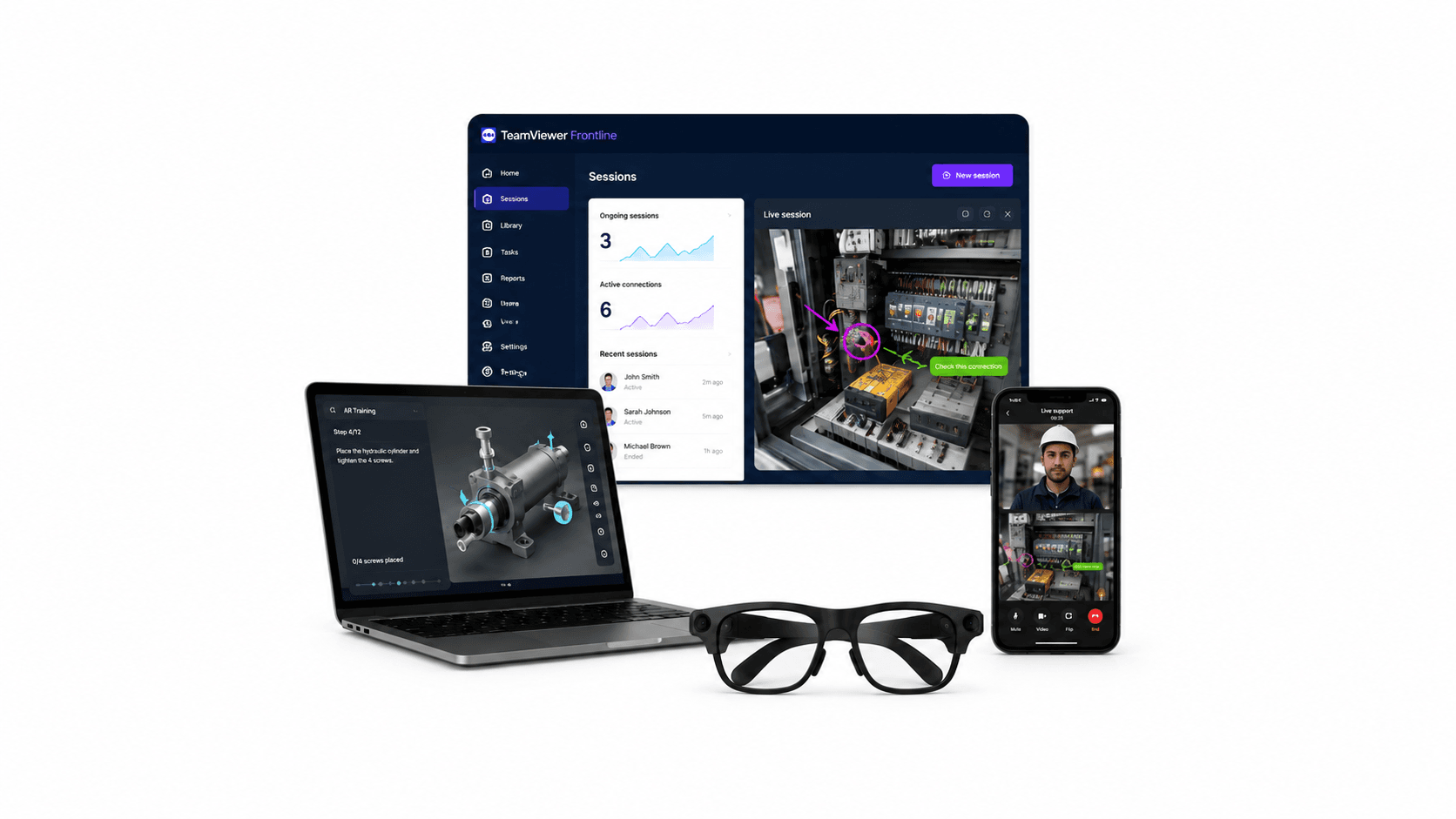
The technician keeps working while a remote expert sees the same view, draws on the live image and talks through the job, with the session recorded as a service record. For field service, manufacturing, utilities and logistics, this cuts travel and downtime and raises first-time fix rates. It pays off wherever you have more sites than specialists.
Field Service Call-Outs
A specialist guides the job on site instead of driving out to it.
Factory Line Downtime
A stopped line gets expert eyes on it in minutes rather than days.
Expert Scarcity
One specialist covers many sites by joining calls instead of traveling.
Onboarding and Training
Junior staff work under supervision, and recorded calls become training material.
The technician wears the glasses, starts a call and keeps working. The expert sees the same view, speaks into the headset and draws on the image to point at the right terminal or valve, which removes the ambiguity that undermines a phone call. Sessions can be recorded, transcribed and summarized, so the fix is documented for the next person rather than living in one engineer's memory. Everything is voice-driven, because a technician on a ladder cannot hold a tablet.
The gain is mostly in travel and downtime. A specialist who covers twelve sites stops driving to three of them a week, first-time fix rates go up, and junior technicians get supervised on jobs they would otherwise have escalated. It suits field service, manufacturing, utilities, logistics and any team with more sites than specialists. The hardware side is covered on the remote support glasses page.
TeamViewer Frontline is a modular suite: remote assistance is one module alongside vision picking, guided assembly, inspection and training. Choose it when remote support is part of a wider plan to digitize frontline work and you want one platform behind all of it. Remote Eye focuses on remote assistance and supports a wide range of device types, including desktop browsers, with a low-bandwidth mode and AI call summaries. Choose it when the job is handling support calls well across a mixed fleet.
Both are licensed per user or per device on annual terms, so settle headcount and who initiates sessions before comparing prices. Then ask the questions that tend to come up later: where video is processed, whether recordings can be retained and how it fits your service desk. We supply both alongside the rugged smart glasses they run on and the rest of the software range, and we will run a demo on your own workflow.
It runs on rugged smart glasses such as RealWear and Vuzix devices. VR Expert AI can confirm which glasses suit your chosen software.
Yes. Platforms such as Remote Eye and TeamViewer Frontline can record calls and capture annotations and documents for reuse as training and service records.
Yes. It is built for voice-first, hands-free use on smart glasses, so the worker keeps both hands on the task.
Typically one per expert or field user who runs remote sessions. VR Expert AI can advise on the right number for your team.
Both provide AR remote support. Frontline adds inspection, work instructions and pick-by-vision, while Remote Eye focuses on remote assistance. VR Expert AI can advise on the best fit.
Rugged smart glasses such as RealWear and Vuzix pair well with remote support software. Request a quote for a bundled hardware and software recommendation.
It suits field service, manufacturing, utilities and logistics teams that need hands-free remote expert support on smart glasses.
It is AR software, such as TeamViewer Frontline and Remote Eye, that streams a worker's see-what-I-see view to a remote expert, who guides the task hands-free with live video and annotations.
VR Expert AI offers TeamViewer Frontline, an AR suite with remote support, inspection, work instructions and pick-by-vision, and Remote Eye, which focuses on AR remote assistance.
It connects on-site workers with remote experts through live video, on-screen annotations and shared documents, and can record sessions for training and records.
Yes. As a B2B supplier, we offer volume pricing, business invoicing and quotes for pilots and rollouts, with documentation for procurement.
Yes. It can be licensed and deployed across a field team on compatible glasses, with device management. VR Expert AI can advise on rollout.
Most teams start with a demo and a pilot on the relevant glasses, then scale up with additional licenses. Request a quote to scope it.
Yes. We can arrange a demo and, for some platforms, a proof of concept, so you can validate the software on your glasses before committing. Talk to a specialist to arrange one.
Remote support software is sold as a business license or service through VR Expert AI, with volume pricing. Request a quote with your user or device count and use case, and we will confirm licensing and pricing.