The Setup in One Small Bag
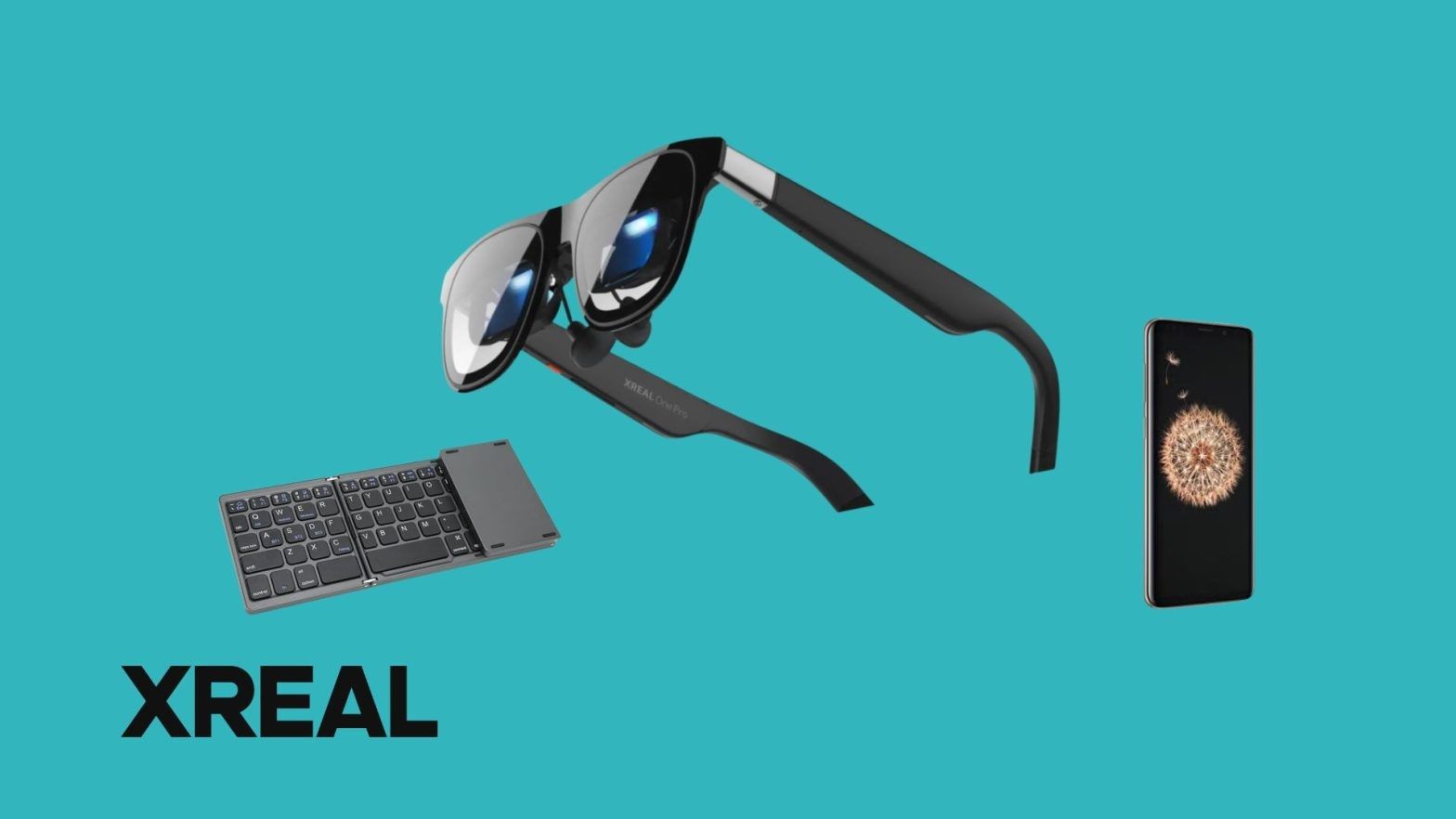
Instead of a 14-inch laptop and its bulky charger, my entire mobile setup fit easily into a small shoulder bag:
- Display: XREAL One Pro AR Glasses.
- Computing Unit: A standard smartphone. (Note: Your phone must support video output via USB Type-C DisplayPort Alt Mode to activate desktop environments like Samsung DeX or Motorola Ready For).
- Input: An 81-key foldable Bluetooth keyboard (with a dedicated numeric pad) and a slim external Bluetooth mouse.
The process was pure plug-and-play. I unfolded the keyboard, turned on the mouse, and connected the glasses to the phone. The desktop interface instantly booted up inside the glasses. Instead of a cramped phone UI, a massive workspace, simulating a 140- to 150-inch monitor, floated right in front of me.
The Practical "Wins"
1. Rock-Solid Screen Stability (3DoF)
The biggest hurdle for productivity in AR is screen wobble, which quickly causes motion sickness. The XREAL One Pro solves this with its native Anchor Mode (3DoF). Once activated, the virtual desktop locks into a fixed point in space. I could turn my head to drink coffee or look around the room, and when I looked back, the screen was exactly where I left it. It felt just like looking at a physical PC monitor.
2. Sharp Text for Long-Form Reading
For real work, display quality is about font readability, not cinematic effects. The text inside the glasses looked incredibly sharp, with no distracting blur or color fringing around the edges of characters, making long writing and emailing sessions easy on the eyes.
3. Absolute Privacy in Public Spaces
Working on a laptop in a crowded cafe or train exposes your screen to everyone. With this setup, the display is completely private. Passersby only see a guy wearing sunglasses and typing on a tiny keyboard, making it an excellent solution for handling sensitive business data on the move.
4. Superior Ergonomics
Laptop posture forces you to hunch forward. With AR glasses, the screen sits perfectly at eye level. I could lean all the way back in the cafe chair, rest my hands on the table, and look straight ahead while typing, significantly reducing neck and shoulder strain.
The Real-World Friction
1. The Temples Get Warm
This is the physical trade-off of a slim, fanless form factor. Because the internal hardware is packed directly into the frame, the arms of the glasses pressing against the sides of your head get noticeably warm after 45 to 60 minutes of continuous use. It isn't painful, but the constant heat dissipation forces you to take short breaks every hour.
2. Never Rely on a Foldable Keyboard's Touchpad
While the 81-key foldable keyboard was great for typing, its integrated touchpad was microscopic. Navigating a massive 150-inch virtual desktop with a tiny touchpad is infuriating. Bringing a dedicated Bluetooth mouse was mandatory; it tripled my navigation speed and made the setup feel like a real workstation.
3. Aggressive Battery Drain
Running a desktop interface, keeping dual Bluetooth connections active, and powering the glasses simultaneously places a massive load on the smartphone. An older phone will last roughly 1.5 to 2 hours before needing a charge. For anything longer than a quick session, carrying a USB-C Power Delivery (PD) hub and a fast-charging power bank is mandatory to keep the phone alive.
The Verdict
Can this setup replace your laptop? Not entirely. If your workflow requires heavy video editing, graphic design, advanced spreadsheets, or keeping dozens of intensive browser tabs open, the smartphone remains your performance bottleneck.
However, for writers, remote workers, consultants, and business travelers whose daily tasks consist of writing, emailing, reviewing documents, and light data entry, the answer is a surprising yes.
Once you get used to carrying a private 150-inch desktop workspace in a small crossbody bag, hauling a traditional laptop around for basic office tasks starts to feel unnecessary.
Curious whether a screenless setup fits your workday? VR Expert AI stocks the leading AI glasses for business and supports pilots and rollouts across the EU and US.