What Is the RayNeo Air 4 Pro?
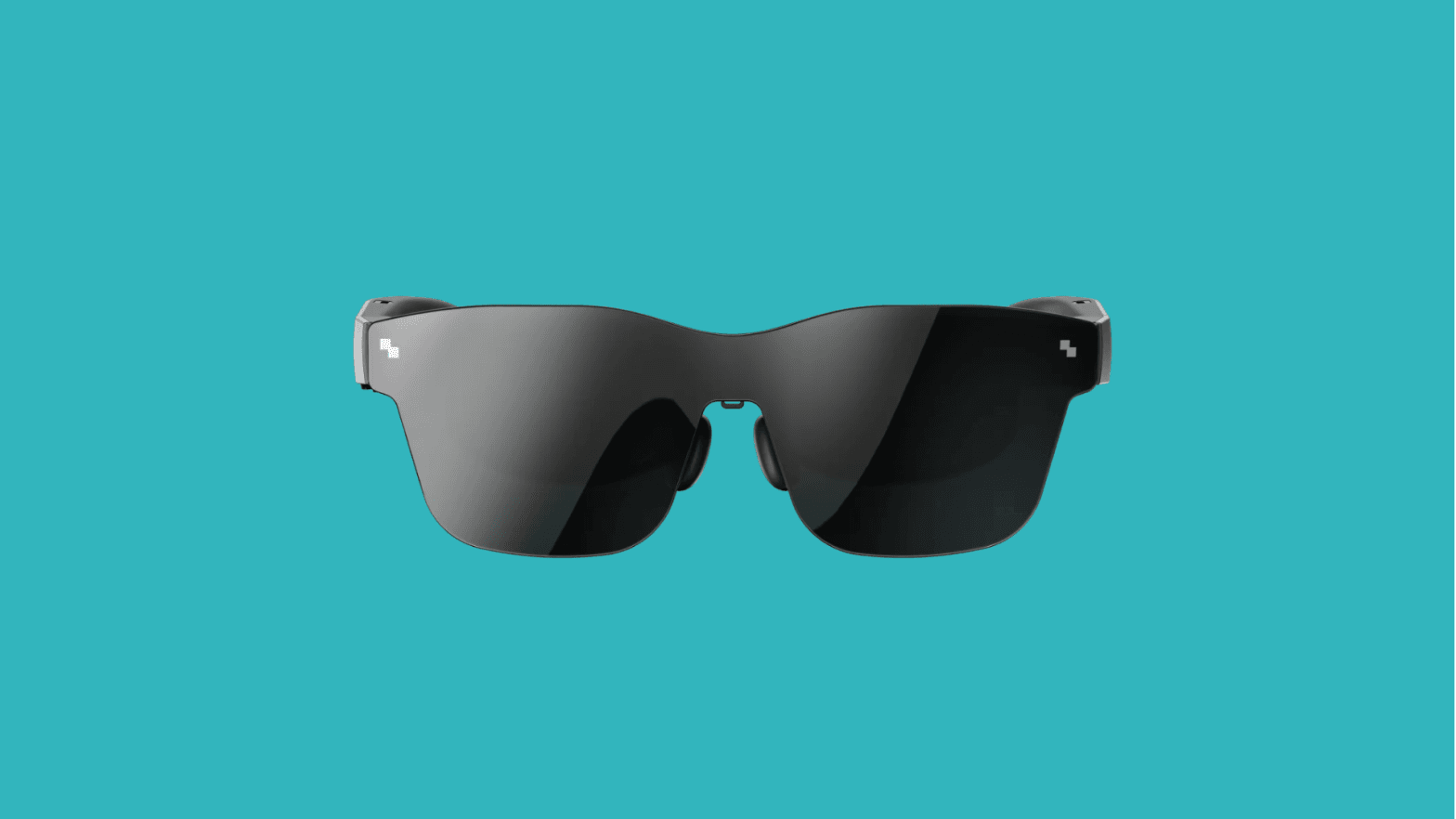
The RayNeo Air 4 Pro is an AR glasses platform that displays content on a screen. It is essentially a mini screen you wear on your head, not a full headset. It has no CPU, battery, or spatial sensors of its own. It requires an external device to power it and provide content. It connects to that device with a single cable and displays a huge virtual screen in front of you.
Because all computing happens on the host device, the Air 4 Pro stays extremely lightweight and simple. There's no heavy battery or processor, and no complex environment mapping. You won't get true 3D holograms anchored in your room, but you will get a big, bright display floating in front of you. That's why RayNeo calls the Air series a "pocket TV."
The tethered approach turns your existing device into the "brain" while using the glasses as a wearable display. It also makes hardware easy to upgrade, because you can connect the glasses to various sources depending on your needs. This modular approach benefits education and IT professionals because it integrates easily into existing hardware setups with little or no hassle.
And if a lesson or simulation runs on a laptop or console, you simply connect the Air 4 Pro to deliver that experience. There's no separate OS or app library to manage. Instead, it's like plugging in a second screen that you wear. The trade-off is that the glasses don't understand or interact with the physical world, but as we'll see, that's an acceptable compromise for many educational use cases.
Why HDR10 Matters in AR Glasses
In the past, most AR display glasses suffered from dull visuals: colors looked washed out, and bright daylight could overwhelm the virtual screen. HDR10 support in the RayNeo Air 4 Pro tackles these issues directly and is more than just a marketing checkbox.
Improving perceived brightness
One of the most important aspects of the HDR10 feature is overall brightness, specifically peak brightness. And here the RayNeo Air 4 Pro impresses once again. At 1200 nits, the glasses deliver a clear image that is easy to see even in bright sunlight, with vivid colors that feel rich and vibrant.
Enhancing color depth
Traditional AR glasses use only 8-bit color, but the Air 4 Pro supports HDR10 with a 10-bit color display capable of showing more than 1 billion colors. The result is much smoother gradients, more realistic-looking images, and a much better viewing experience overall.
Delivering deeper blacks
By enhancing contrast, HDR improves how images and text look on Micro-OLED displays. With an average contrast ratio of around 200,000:1, parts of an image that would normally appear gray actually appear black or completely dark, resulting in sharper text and images and greater realism in photographic images (especially astronomical and medical images).
Making virtual screens usable in more environments
The combination of high brightness and high contrast means the virtual screen remains visible in scenarios that used to challenge AR devices, such as bright classrooms or spots near windows. One reviewer noted that ambient lighting "doesn't get in the way", which is a crucial factor in typical school settings.
Technical Overview
The RayNeo Air 4 Pro has a dual micro-OLED display with a resolution of 1920×1080 per display, producing a clear, vivid picture. It also supports HDR10 and refresh rates of up to 120Hz for smooth motion on the virtual screen, which appears similar to viewing a 130-200 inch projection screen.
Form Factor
The glasses weigh 75g, making them lighter than all other VR headsets, with no internal battery or fans. They are designed to look like sunglasses, with adjustable nose pads and optional prescription inserts, so users can wear them comfortably for extended periods, for example, through an entire class at school.
Connectivity
The versatile USB-C cable lets you connect your computer, Android device, or Steam Deck to the projector or your smartphone, along with a number of other devices, making it highly flexible. So while it lacks built-in wireless, optional accessories enable connections to other video sources.
Audio
The directional speakers by Bang & Olufsen are a great innovation: they direct sound toward the user, providing the best listening experience while still allowing the user to stay aware of outside sounds and their surroundings. This makes it a wonderful product for the classroom, as it doesn't disturb the people around the user.
Where It Fits in XR Stacks
Rather than trying to do everything, the RayNeo Air 4 Pro fills a specific niche in the XR hardware spectrum. There are certain areas where these glasses fit best, such as:
- Portable XR Displays: A personal, big-screen monitor you can use anywhere. An architecture student could plug into a laptop to view a detailed 3D model privately, even while commuting.
- A Secondary or Virtual Monitor: In a classroom or workshop, it can serve as a hands-free virtual monitor for instructional content, allowing the user to maintain eye contact and awareness of their surroundings.
- A Lightweight Alternative to Full VR: When a fully immersive headset is overkill, the Air 4 Pro provides an on-face screen with almost no friction, since you just put on glasses instead of strapping on a bulky headset.
Crucially, they do not replace high-end enterprise AR headsets designed for interactive spatial computing. Those have depth sensors and inside-out tracking to overlay 3D content onto the real world. The Air 4 Pro doesn't map your environment or run apps independently. It fits into XR setups as a viewer, ideal for showing or watching content with minimal equipment overhead.
VR Expert Perspective
At VR Expert, we look beyond the spec sheet to how a device will actually work for our clients in the field. From our perspective, devices like the RayNeo Air 4 Pro are important additions to the XR toolkit because they help address some key challenges in adoption:
Lowering the barrier to XR adoption
At a few hundred dollars, the RayNeo Air 4 Pro offers a compelling alternative that drastically lowers the financial and technical entry point. Institutions can deploy multiple units for the price of one high-end device, reducing IT support needs.
Enabling modular and flexible XR setups
These glasses also fit well into the growing trend of modular XR by integrating with existing devices like tablets and PCs, avoiding a complete infrastructure overhaul. This makes it possible to add an immersive "XR view" to specific activities without costly custom software.
Supporting education and training environments
The lightweight, heads-up approach also preserves social connection, since the learner can still see other people, for instance. In addition, comfort reduces anxiety, which is essential, especially in vocational learning, where safety is a concern.
Complementing existing VR and AR hardware
XR will thrive in a flexible ecosystem rather than through isolated devices. The RayNeo Air 4 Pro fills the gaps left by existing VR hardware instead of competing with high-end headsets. An instructor can use the device to manage students within a VR environment, while a trainee can remotely view an expert's superior image quality from a separate location, giving the trainee a significant opportunity.
Final Thoughts
The RayNeo Air 4 Pro shines by perfecting the fundamentals rather than getting bogged down in flashy features. Its dedication to superior visuals, comfort, and accessibility marks a significant coming of age for the industry.
The overall design removes a key XR barrier by offering a high-quality HDR AR display in a lightweight $300 package, making AR as practical to use as a tablet. This enables immersive learning that doesn't disrupt the lesson.
The Air 4 Pro signals a shift away from hype and toward practical improvements in core elements such as clarity, comfort, and cost, making XR feasible for a larger number of users. By connecting modern educational methods with immersive AR, it has the potential to move XR from a mere novelty to a mainstream learning tool accessible to everyone.
Looking for AR that scales beyond a single classroom? VR Expert AI stocks the leading AI glasses for business and supports pilots and rollouts across the EU and US.