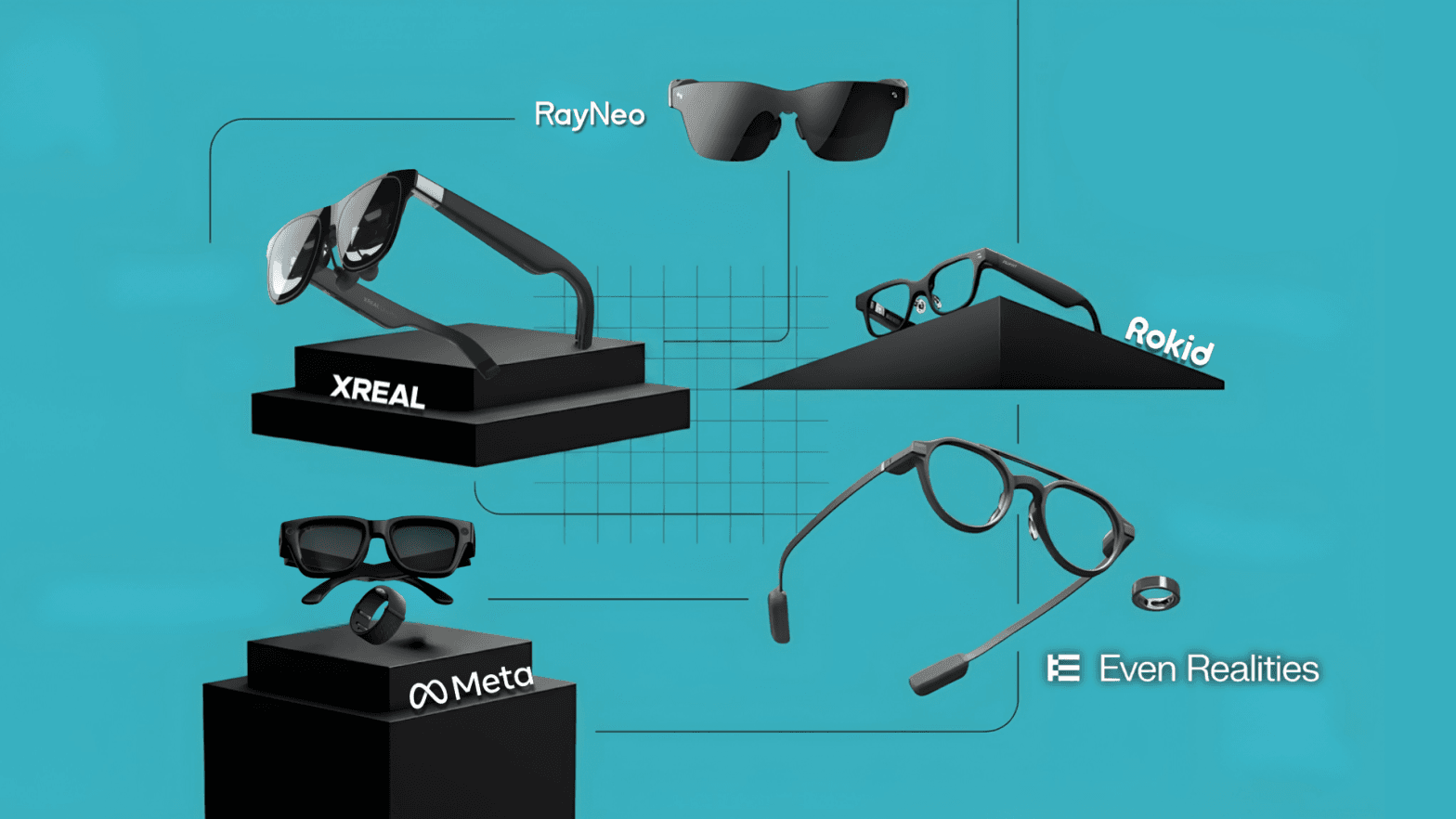
At a glance: specs and prices compared
How we tested
We tested each pair in realistic use cases: working on the go, joining calls, reviewing documents, using translation features, checking comfort over longer sessions, and judging how useful each device is in daily work.
For business use, we also looked at the practical buying factors: prescription support, privacy, camera policies, device management, battery life, security, and total cost of ownership.
Xreal One Pro
Pros & Cons
- Pro: Massive 130-inch virtual screen with 120Hz refresh rate
- Pro: 3-level electrochromic dimming (0%, 35%, 100%)
- Pro: Directional audio prevents sound leakage
- Con: Bulky prism lenses are distracting when walking around
- Con: Requires a wired USB-C connection
Why We Picked It The Xreal One Pro is the current industry benchmark in visual clarity for professionals. Its integrated Sony micro-OLED panels deliver clear contrast and eliminate motion blur. The standout feature is the electrochromic dimming, which lets you block out the physical world completely at the press of a button, turning a bright, noisy train car into a private, focused workspace (Read our full Xreal One Pro product review).
Who It's For
- Remote workers and digital nomads: Perfect for creating a private, multi-monitor workspace on a crowded train or airplane.
- Privacy-conscious professionals: Ideal for reading sensitive financial, HR, or coding documents in public spaces with reduced risk of visual eavesdropping.
Specs & Configurations
- Display: Sony 0.55-inch micro-OLED
- Resolution: 1920 x 1080 per eye
- Refresh rate: Up to 120Hz
- Field of view: 57°
- Dimming: 3-level electrochromic dimming: 0%, 35%, and 100%
- Connection: Wired USB-C
- Camera: None
RayNeo Air 4 Pro
Pros & Cons
- Pro: Bright, full-color display
- Pro: Useful AI-HDR mode
- Pro: Crisp audio and multiple image modes
- Pro: Highly affordable
- Con: Modest field of view
- Con: HDR10 doesn't dramatically improve the picture
- Con: No built-in focus dials for nearsighted users
Why We Picked It The RayNeo Air 4 Pro isn't the fanciest or brightest pair of AR video glasses, but it's one of the best values. It adds HDR10 support and retains its predecessor's bright, sharp picture, with some of the best color performance we've seen. It provides a highly accessible entry point into spatial computing without breaking the bank (Read our full RayNeo Air 4 Pro product review).
Who It's For
- Value shoppers: The Air 4 Pro is a top value pick, assuming the lack of 6DoF head tracking and dimmable lenses aren't deal-breakers.
- Casual media consumers: For watching videos on a flight or playing handheld consoles, you don't need a ton of expensive extras. It delivers a good-looking private display you can take anywhere.
Specs & Configurations
- Display: SeeYa 0.6-inch micro-OLED
- Resolution: 1920 x 1080 per eye
- Refresh rate: Up to 120Hz
- Field of view: 46°
- Virtual screen: Up to approximately 201 inches
- HDR: HDR10 support
- Connection: Wired USB-C
- Camera: None
Even Realities G2
Pros & Cons
- Pro: True "glasses" form factor and extremely lightweight
- Pro: Unobtrusive monochrome waveguide display
- Pro: Great live translation and teleprompter features
- Con: Monochrome text only (no full-color media viewing)
- Con: Relies on a companion smartphone app for processing
Why We Picked It Built on the philosophy that technology should be invisible until you need it, the G2 runs on the proprietary Mentra OS. Unlike prism displays that project a glowing TV screen in your face, the G2 uses highly efficient waveguide optics. Text and navigation arrows float naturally in your field of view without obstructing your physical sightline or eye contact (Read our full Even Realities G2 product review).
Who It's For
- International business professionals: Perfect for attending meetings where the glasses listen to foreign languages and project real-time translated subtitles onto your lenses.
- Public speakers: The built-in Teleprompter feature lets you read scripts effortlessly while maintaining eye contact with your audience.
Specs & Configurations
- Display: Waveguide Display, Microphones, Speakers
- Resolution: 640 x 350
- Connection: Wireless (Bluetooth)
- Input Controls: Touch / Voice
- Operating System: Mentra OS
- Battery Life: When fully charged, the glasses can last for 2 days in typical usage scenarios (such as intermittently checking information, using notifications, navigation, etc.).
- Charging Case: Its high-capacity battery can fully recharge the glasses approximately 7 times, providing weeks of total usage to support your short trips.
Meta Ray-Ban Display Glasses
Pros & Cons
- Pro: Powerful multimodal Meta AI that "sees" the world
- Pro: High-fidelity 12MP camera for 3K video
- Pro: Iconic Ray-Ban aesthetic
- Con: Locked entirely into the Meta ecosystem
- Con: Battery drains quickly during heavy AI/camera use
- Con: No third-party push notification support
Why We Picked It Meta's collaboration with EssilorLuxottica has produced the most socially acceptable consumer AI glasses to date. Powered by the Snapdragon AR1 Gen 1 platform, the multimodal Meta AI uses the built-in camera as its eyes. It is the best choice if you need hands-free assistance based on your physical surroundings, completely disguised as a classic fashion accessory (Read our full Meta Ray-Ban product review).
Who It's For
- Hands-free multitaskers: Look at a broken appliance or a complex recipe, ask the AI for the next step, and receive instant audio instructions.
- Content creators: Capture high-quality video for social media from a true POV perspective without ever holding a camera.
Specs & Configurations
- Glasses Features: Camera, Speakers, Microphones, Waveguide Display
- Connection: Wireless
- Input Controls: Voice / Touchpad
- Voice Assistant: Meta AI (Llama 3)
- Camera: 12MP Ultra-wide
Rokid Glasses RV101
Pros & Cons
- Pro: Ultra-bright 600-nit display for outdoor/factory use
- Pro: IP54 ruggedized for dust and water resistance
- Pro: Excellent remote expert and Microsoft Teams integration
- Con: Utilitarian design is not meant for consumer fashion
- Con: Heavier than consumer-grade models
Why We Picked It Consumer glasses are simply too fragile for frontline workers and warehouse management. The Rokid RV101 is engineered specifically for the enterprise sector. Pushing up to 600 nits of perceived brightness, it keeps AR overlays and schematics perfectly legible under harsh industrial lighting or outdoor sunlight (Read our full Rokid RV101 product review).
Who It's For
- Field technicians: Stream your exact view to a remote engineer, who can then draw AR annotations (like circling a specific wire) that appear spatially locked in your vision.
- Warehouse and logistics workers: Use hands-free order picking, where the glasses highlight the exact shelf and item needed, increasing speed and reducing errors.
Specs & Configurations
- Glasses Features: Voice assistant, photo capture, video capture, hands-free field support, and contextual AI assistance
- Connection: Wired / Wireless Adapter available
- Durability: IP54 Dust and Water Resistance
- Display Type: Prism Optical Engine
- Brightness: 600 nits perceived
How to choose the right AI glasses
Everyday glasses with an assistant: Even Realities G2 (no camera) or Rokid RV101 (camera + voice).
A private big screen: Xreal One Pro for the best image, RayNeo Air 4 Pro for value.
Hands-free help in the field: Rokid RV101 plus a remote-assistance workflow.
A consumer pair for AI + capture: Meta Ray-Ban Display (consumer-only).
Privacy or secure-site rules matter: choose a camera-free pair (Even G2, or the display glasses).
For business use, the main checks are simple: prescription support, camera policies, device management, battery life, and ongoing software or subscription costs. Camera-free models are usually easier to get approved in offices, schools, healthcare settings, and secure work environments. Camera-equipped models can be more useful in the field, but they need a clear privacy and data policy.
The best AI glasses in 2026 are the ones with a clear purpose. Even Realities G2 is the strongest everyday option, Xreal One Pro is the best private screen, RayNeo Air 4 Pro is the best value pick, Rokid RV101 is the most practical field option, and Meta Ray-Ban Display is the strongest consumer AI choice.
Ready to try the AI glasses that fit your use case? VR Expert AI stocks the leading AI glasses for business and supports pilots and rollouts across the EU and US.